
Google Street View for Businesses: What Is It Used For and How Does It Work?
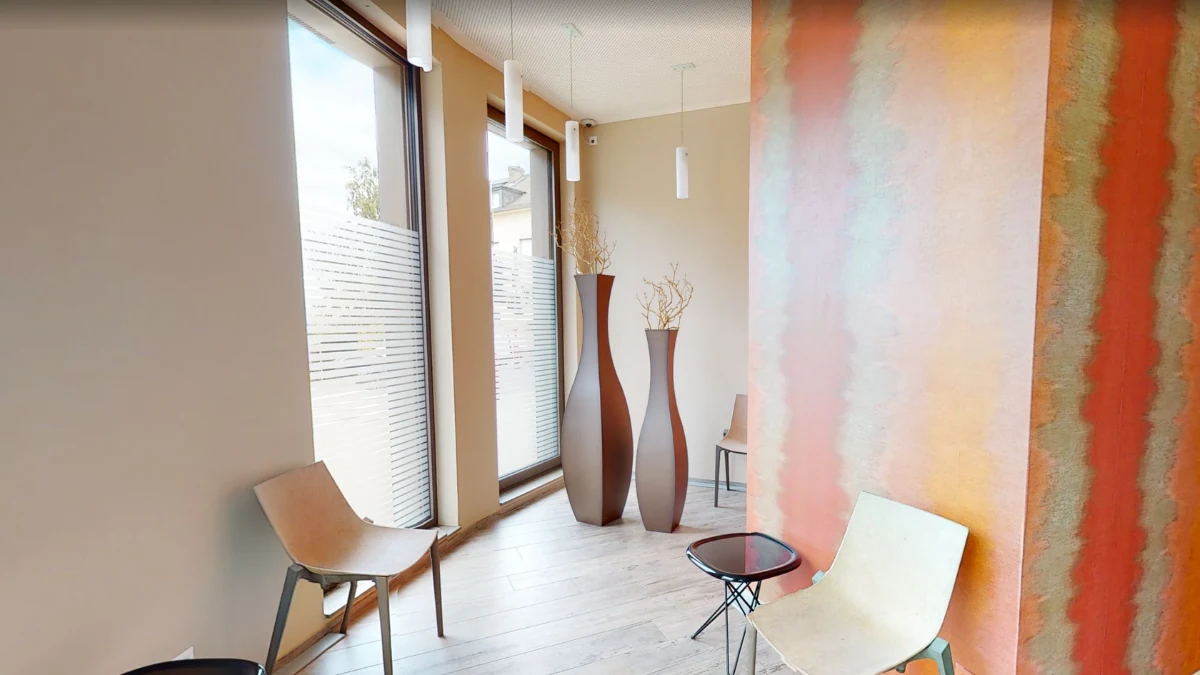
Google Street View is not only for exploring streets. For a business, it can also showcase a store, venue or professional space directly within the Google ecosystem.
A 360° tour published on Google Street View allows people to look around, explore the inside of a place and better understand its environment before they even visit.
But how does Google Street View for businesses work, which types of businesses can use it and in what situations does it really add value?
What is Google Street View for businesses?
Google Street View makes it possible to explore a place visually through 360° panoramic photography. For a business, these images extend the experience beyond the storefront and can give people access to selected interior spaces.
Unlike a conventional photograph, a 360° image lets the viewer look in every direction from the point where the image was captured.
When several panoramas are connected, visitors can move through different areas and explore the business in a much more immersive way.
The experience can be viewed directly within the Google ecosystem from a computer, tablet or smartphone.
What is Google Street View for businesses used for?
Its main purpose is to give people more context when they are researching a business before visiting it.
An address, a few photographs and opening hours provide useful information. A 360° tour goes further by giving people a more tangible sense of the space.
Visitors can, for example, see the entrance, general layout, atmosphere or key areas before they arrive.
- show the interior of a business;
- help customers visualise the location before visiting;
- show the layout and atmosphere of a space;
- complement conventional business photographs;
- make it easier to explore a place remotely;
- add more context to a business presence on Google.
What types of businesses can use Google Street View?
A Google Street View tour can be relevant whenever seeing the location plays a role in a customer’s decision or helps them prepare for a visit.
It is particularly useful for businesses where the environment, layout or atmosphere is an important part of the customer experience.
- shops and retail stores;
- restaurants and cafés;
- hotels and accommodation;
- showrooms;
- practices and service centres;
- gyms and leisure facilities;
- cultural and event venues;
- professional spaces that regularly welcome the public.
How is a Google Street View tour created?
Creating a Street View tour starts by defining the areas that should be shown. The goal is to build a coherent and useful route for future visitors.
Preparing the business
The areas to be shown are defined before the shoot. Ideally, the business should be prepared exactly as you want visitors to see it, including tidiness, lighting, circulation areas and visible elements throughout the space.
360° photography
Several panoramic images are captured from the positions needed to present the business properly.
Creating the tour route
The different viewpoints are organised so visitors can move logically through the space.
Publishing on Google Street View
Once the route has been prepared, the tour can be published for direct viewing in Google Street View.
Explore a business on Google Street View
Explore a real Google Street View example. Click inside the tour, look around and move through the different areas.
Google Street View and Matterport: two complementary uses
Google Street View and Matterport both provide immersive experiences, but they are designed for different purposes.
Google Street View
Google Street View is particularly well suited to businesses that want people to discover their spaces directly within the Google ecosystem.
The experience is based on connected 360° panoramas that create a route through the business.
Matterport
Matterport scans an existing space to create a more complete, navigable 3D representation.
Visitors can move through the building, understand the overall layout and use specific viewing modes such as a complete 3D overview of the property.
The two technologies can therefore complement each other: Google Street View for discovery within Google, and Matterport for a more in-depth 3D experience that can, for example, be embedded on a website.
How should you prepare your business before the shoot?
A 360° photograph captures a large part of the surrounding environment, so preparing the space is particularly important.
Before the shoot, review the areas that will be visible and remove anything that should not appear in the tour.
- tidy the areas accessible to visitors;
- check the lighting;
- keep the main circulation areas clear;
- check for visible confidential or personal information;
- prepare the spaces as you want customers to see them.
Google Street View for businesses in Luxembourg
Mat4luX creates Google Street View tours for businesses and venues that want to showcase their spaces in Luxembourg.
The service is defined according to the layout of the business, the number of areas to be shown and the route required.
For full details about the service, visit our Google Street View for businesses in Luxembourg .
FAQ about Google Street View for businesses
Do I need to install software to view a Street View tour?
No. The tour can be viewed directly in a compatible web browser on a computer, tablet or smartphone.
Can a Google Street View tour be embedded on a website?
Yes. A Google Street View view can be embedded in a web page so website visitors can explore the business directly.
Does Google Street View replace a Matterport tour?
No. The two solutions serve different purposes. Street View is particularly suited to discovery through Google, while Matterport provides a more complete 3D representation of a space.
What types of businesses can benefit from a Street View tour?
Shops, hotels, restaurants, showrooms, practices, gyms, cultural venues and, more generally, businesses that welcome the public can use this type of tour.