
Matterport Virtual Tours for Real Estate: Benefits for Selling or Renting a Property
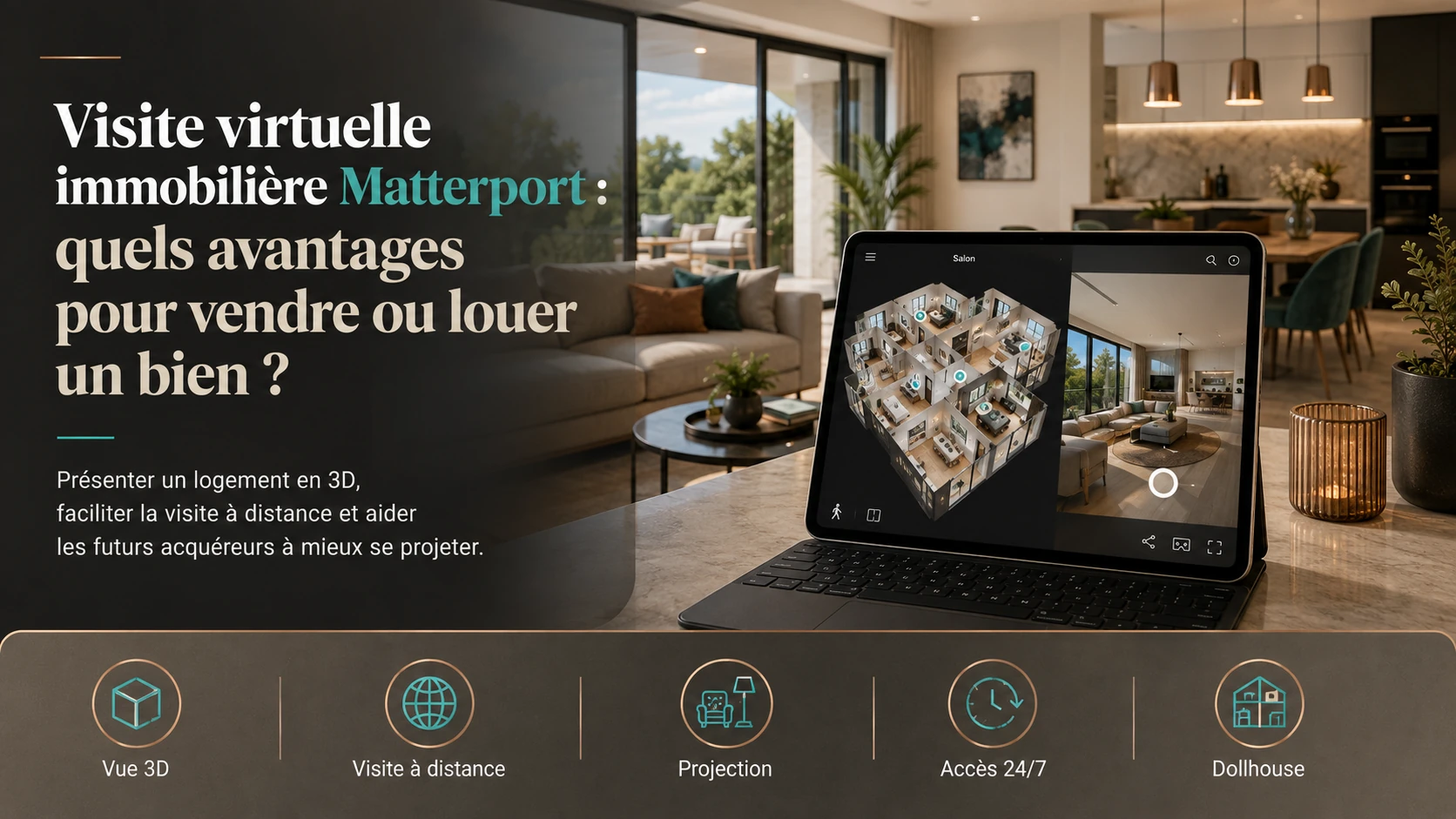
Photographs, floor plans and videos: property marketing traditionally relies on several different types of content. A real estate virtual tour adds another option: allowing a prospective buyer or tenant to explore the property remotely by themselves.
With a technology such as Matterport, a house or apartment can be digitised to create a navigable 3D environment, accessible from a computer, tablet or smartphone.
The aim is not to replace an in-person property viewing. A virtual tour mainly helps people understand the property better before travelling and gives interested buyers or tenants more information to decide whether they want to arrange an on-site visit.
What is a Matterport virtual tour for real estate?
A Matterport tour is created by digitising an existing space. Multiple scan positions are captured throughout the property and then combined to create a navigable environment.
Visitors can then move from one room to another, explore the different spaces and understand their layout more easily.
Depending on the tour configuration, different views may also be available, including the Dollhouse view, which displays the property as an open 3D model.
Explore a property in 3D
Click inside the tour and move from one room to another. You can experience directly the difference between looking at photographs and exploring a property yourself.
1. Understand the layout of the rooms
A photograph is very effective at showing a room, an atmosphere or a detail. But it does not always make it easy to understand how the different photographed areas relate to one another.
In a virtual tour, the user moves progressively through the property.
This makes it easier to understand:
- the relationship between the entrance and living areas;
- the layout of the bedrooms;
- circulation routes;
- the organisation between different floors;
- the relationship between interior spaces.
This spatial understanding is one of the main advantages of using Matterport for real estate.
2. Explore the property before arranging an in-person viewing
A property listing can generate many enquiries, but not all of them necessarily lead to a relevant viewing.
A virtual tour provides more information before the appointment.
Someone may, for example, realise that the room layout suits their needs, or identify immediately an aspect that is incompatible with their project.
They can therefore arrive at the in-person viewing with a more precise understanding of the property.
3. Offer a first viewing remotely
The value becomes particularly clear when a prospective buyer or tenant is not located close to the property.
This may apply to:
- someone living in another region;
- a buyer located abroad;
- someone preparing to relocate to Luxembourg;
- an investor who cannot travel immediately;
- several decision-makers located in different places.
Each person can explore the same environment from their own screen and form an initial opinion of the property.
4. Make the property accessible at any time
An in-person viewing requires several schedules to be coordinated: owner, estate agent, current occupant and visitor.
A virtual tour can be viewed independently of these constraints.
A prospective buyer can return to the virtual property several times, compare different spaces or show the property to someone else.
The tour therefore becomes an additional resource available alongside organised on-site appointments.
5. Revisit the property after an in-person viewing
After viewing several properties, details can quickly become mixed up: the apparent size of a room, the position of a door, the layout of the living room or the relationship between two spaces.
A virtual tour makes it possible to revisit the property remotely and review its overall organisation.
It can also be shared with a partner, associate or another person who could not attend the in-person viewing.
Real estate photography or virtual tour: do you have to choose?
No. A real estate virtual tour does not make photographs unnecessary.
The two formats serve different purposes and can complement one another.
Attract attention
A good photograph highlights a space from a carefully chosen viewpoint and quickly communicates the character of the property.
Explore freely
The user decides for themselves where to look and can move between the different rooms.
A complete property presentation can therefore combine photography, floor plans and a virtual tour.
What is the difference between a real estate video and Matterport?
A video allows the creator to define a route and choose what the viewer sees.
It is particularly well suited to telling a story, showing an atmosphere or creating a dynamic presentation.
A Matterport tour works differently: the visitor controls their own journey.
A guided route
The viewer follows the images and pace defined during editing.
A self-directed route
The user decides which rooms to explore and how much time to spend in each one.
The Dollhouse view: understand the property at a glance
One of the most recognisable features of a Matterport tour is the Dollhouse view.
The property appears as an open 3D model that can be viewed as a whole.
This representation makes it easier to visualise:
- the overall room layout;
- the relationship between several floors;
- the main circulation routes;
- the overall organisation of the property.
Which types of property can benefit from a virtual tour?
Virtual tours can be used for many types of existing property.
- apartments;
- detached houses;
- high-end residences;
- apartment buildings;
- offices;
- commercial premises;
- rental properties;
- buildings with several floors or distinct areas.
The value depends less on the category of property than on the need to allow someone to understand its layout without being physically present.
How should a property be prepared for a Matterport virtual tour?
The camera records the property exactly as it appears at the time of the scan.
Preparing the property is therefore important, just as it is for a real estate photography session.
Tidy up
Remove temporary items, highly visible personal belongings and objects likely to distract attention from the property itself.
Prepare the rooms
Furniture, surfaces and the main visible areas should be presented consistently.
Check the lighting
The necessary light fixtures should be checked before the scan to maintain a consistent atmosphere.
Define the visible areas
The rooms to include and any areas to exclude are determined before the appointment.
What if the property has not been built yet?
Matterport is primarily used to digitise an existing physical environment.
When an apartment, house or property development is still at the planning stage, the process is different.
The future space can be reconstructed in 3D from 2D floor plans, virtually furnished, and then transformed into an immersive environment.
This solution makes it possible to present the project before construction, particularly when traditional plans are difficult for prospective buyers to interpret.
Can a virtual tour replace an in-person viewing?
For an important real estate decision, a virtual tour should generally not be considered a systematic replacement for visiting the property in person.
Some aspects still require being physically present: the surrounding environment, noise, neighbourhood, real lighting conditions at different times of day and the personal feel of the property.
A virtual tour is therefore mainly used before and alongside an in-person viewing.
It helps people understand the property better before investing time in an on-site appointment.
What are the benefits for an estate agency or property professional?
For a real estate professional, a virtual tour provides an additional way to present a property listing.
It can help with:
- presenting a property remotely;
- sharing the property with several decision-makers;
- helping prospects understand the volumes before an appointment;
- reviewing the property after an initial viewing;
- presenting properties to international clients.
The objective is therefore not simply to add another technology to a listing, but to give prospects more useful information to evaluate the property.
Creating a real estate virtual tour in Luxembourg
Mat4luX provides Matterport scanning for real estate properties and other existing spaces in Luxembourg.
The service is defined according to the property’s floor area, configuration, number of levels and required deliverables.
The resulting tour can be shared via a link or embedded into a website depending on the needs of the project.
To learn more about how the technology works, visit our page dedicated to Matterport virtual tours in Luxembourg .
FAQ about real estate virtual tours
Can a virtual tour replace a property viewing?
It can provide a very complete first impression of the property, but it does not necessarily replace an in-person viewing before an important real estate decision. The two formats are complementary.
Can I view a Matterport apartment tour on a smartphone?
Yes. A Matterport tour can be viewed in a compatible browser on a computer, tablet or smartphone.
Is a virtual tour useful for a house?
Yes, especially when the house includes several rooms, several floors or a layout that is difficult to understand from photographs alone.
Can a Matterport tour be added to a property listing?
This depends on the features offered by the property platform being used. The tour can also be shared by link or embedded directly into a website.
Does the property need to be prepared before the scan?
Yes. As with a photography session, it is recommended to tidy the space, remove unnecessary personal items and prepare the lighting before the appointment.
Can a virtual tour be created for an apartment that does not exist yet?
Yes, but the process is different. When the property does not yet exist, it must first be modelled from the plans before it can be presented as an immersive 3D environment.
Do you have a property to present with a virtual tour?
Tell us the type of property, its floor area and the objective of your project. We can define the Matterport service best suited to presenting it.